


MSG Windows command: Business operation and limitations
« Guided reading
Find the essentials in 60 seconds
The context, key signals and priority actions brought together in this article.
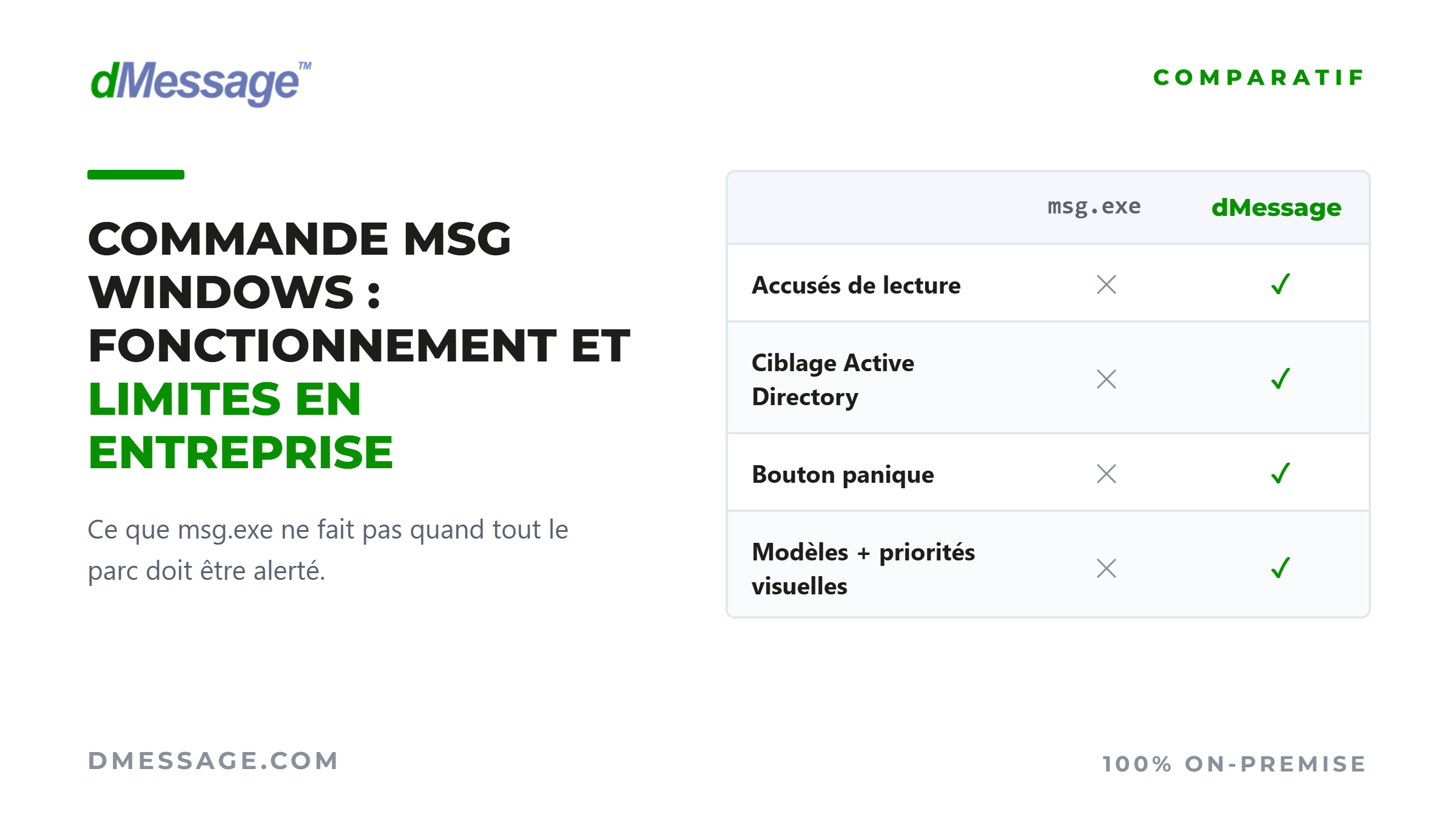
msg.exe is still present on Windows 10 and 11 but its technical constraints make it unsuitable as soon as a large-scale network needs to be alerted.
Net Send no longer exists since Windows Vista: its official successor, msg.exe, relies on Terminal Server session services and is used differently.
The syntax is accessible, the examples are reproducible but three network prerequisites often block sending to remote machines.
In addition to one-off use between two workstations, the lack of traceability and the inability to target by service or by site pose concrete problems.
What is MSG really worth when you have to alert 500, 2,000 or 15,000 workstations with the certainty that the message has been read?
msg.exe, official successor of net send
Since Windows Vista, the net send command no longer exists. It was based on the Messenger service, massively diverted for spam network in the early 2000s and permanently deleted with Vista. Its official successor is called msg.exe, still present in Windows 10 and Windows 11.
Technically, msg.exe operates on a different net send basis: it relies on Terminal Server session services, now called Remote Desktop Services. It is this user-oriented architecture that determines both its syntax and its constraints in the business environment.
The command is only available on the Business, Business and Server editions of Windows. On a heterogeneous network, this restriction excludes some of the workstations from the outset. In business no one is using a Windows Family version.
MSG limits in the business environment
For a one-time exchange between two workstations, MSG may suffice. As soon as an organization-wide network is alerted, its technical and operational constraints become binding.
What dMessage does where MSG reaches its limits
When an incident occurs, the issue is no longer to send a message, but to make sure that it has been received, by whom, and at what time. On the four specific points where MSG blocks, dMessage works as well.
Frequently Asked Questions
On Windows 11 editions Professional and Enterprise, msg.exe works with the same syntax as Windows 10. The Home edition does not have one, and sending to a remote machine always requires the modification of the AllowRemoteRPC key on the recipient workstation.
MSG does not propose any native mechanism to reach the entire domain: the * character targets all sessions of a single machine. The usual circumvention is to loop on a machine name file (for /f %i in (postes.txt) do msg /server:%i * "message"), but this method remains sequential, without consolidated status return and without warranty of remission.
On the rights side, sending a message to its own session does not require any particular privilege. As soon as other sessions on the same machine or remote machines are targeted, an account with administrative rights on the target workstations is required, in addition to the network prerequisites already mentioned.
Adopted by the most demanding structures
Where unread information is not an option, dMessage broadcasts vital alerts throughout the network in seconds.
Health
Several CHUs trigger their White Plans and Orsan Plans on all services in seconds, without depending on the messaging.
Industry
A French industrialist +18 000 workstationsdeployed via SCCM, manages its industrial emergencies and cyber incidents on a sovereign channel.
Public sector & finance
National public institutions and asset management actors rely on dMessage for their internal critical communications.
Frequently asked questions
Protect your teams today
Do not entrust your vital alerts to a saturated email system. Take full control of your sensitive information flows with On-Premise technology. Never miss critical information again.
Ask for your demonstration Discover FunctionsSovereign deployment. Zero complex technical engagement.