

PHP2Shell, in plain language
PHP is a language used to run web applications on servers. PHP2Shell refers to two critical vulnerabilities, CVE-2026-109618 and CVE-2026-109619. They affect PHP’s handling of internal data and can allow unauthenticated remote code execution on a vulnerable installation.
Remote code execution means an attacker can make a target system run instructions. The risk therefore goes beyond an unavailable page. Singapore’s CSA has reported active exploitation against exposed management interfaces in certain network products.
Remediation: start with an inventory, not just the public website
- Identify installations: applications, servers, containers and appliances that include PHP. Ask the administrator or vendor to confirm versions and patches.
- Check the official advisory: PHP 8.5.12, 8.4.27, 8.3.36 and 8.2.35 include the fixes released on 21 October 2026. Vendors may backport fixes without using these exact version numbers.
- Apply the appropriate update: use distribution packages or the manufacturer’s fixes for integrated products. Then check the deployed version or patch reference.
- Check for consequences: where exposure is identified, ask the security team to look for relevant indicators of compromise. An installed patch does not prove there was no earlier intrusion.
For older branches no longer maintained by the PHP project, check what support your distribution or provider actually offers and plan a migration. Temporary exposure-reduction measures do not replace a complete fix.
Has your organisation been affected?
To take stock with your team, choose the situation that best describes your checks so far. These options help frame the discussion; they are not an audit conclusion.
- Yes, confirmed incident: collected evidence establishes an incident and incident response has started.
- Affected, no known incident: a vulnerable component is identified, with no confirmed compromise so far.
- No affected system: the inventory and checks identify no affected system.
- Checks in progress: the inventory or log analysis is not yet sufficient to reach a conclusion.
How dMessage helps: coordinate the work clearly
A security team can use dMessage to deliver maintenance instructions, a deadline or required action to relevant teams. Administrators remain responsible for patching; employees receive the information needed for their work.
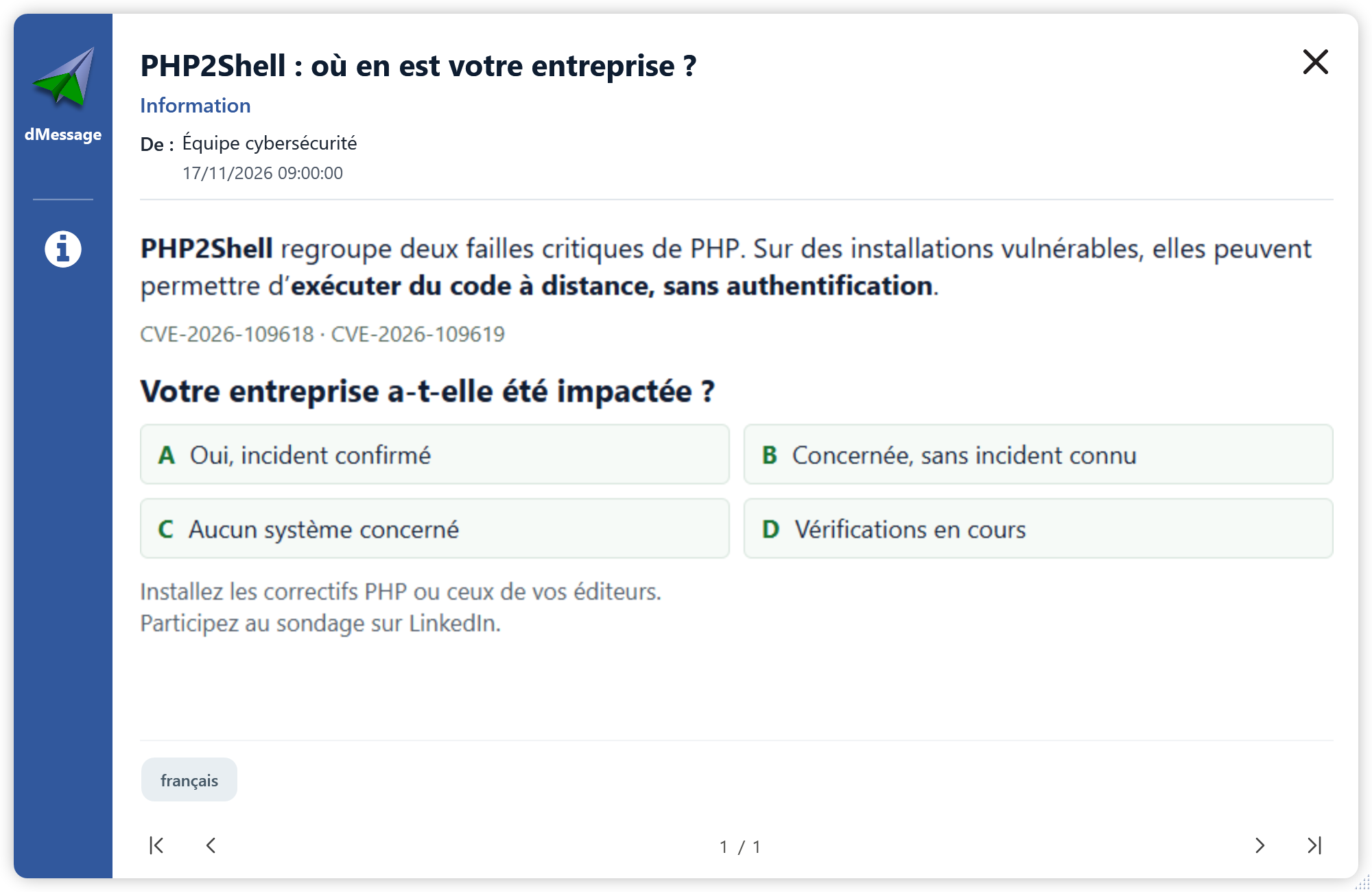
Prepare a message stating the affected service, any interruption, the expected action and the next update. dMessage delivers these instructions; inventory, compromise analysis and technical remediation remain the job of the relevant teams and tools.
Sources and documentation
- PHP project: security advisory and fixed versions dated 21 October 2026
- CSA: PHP2Shell exploitation reported on 3 November 2026
Cyber awareness, directly on screen
Coordinate your PHP patching campaign
Deliver instructions to the relevant teams directly on their Windows workstations. Try dMessage free for 30 days.