

Why alerts arrive too late
- The message is written under pressure, re-read, corrected, approved.
- The recipient list does not exist, or it is out of date.
- The chosen channel, often email, is not read straight away.
Prepare: what happens before the crisis
- Templates. One ready message per scenario: fire, intrusion, outage, cyberattack, site closure.
- Recipients. Dedicated Active Directory groups: the whole site, reception, the security team.
- The trigger. Who sends it, and how: console, keyboard shortcut or desktop shortcut.
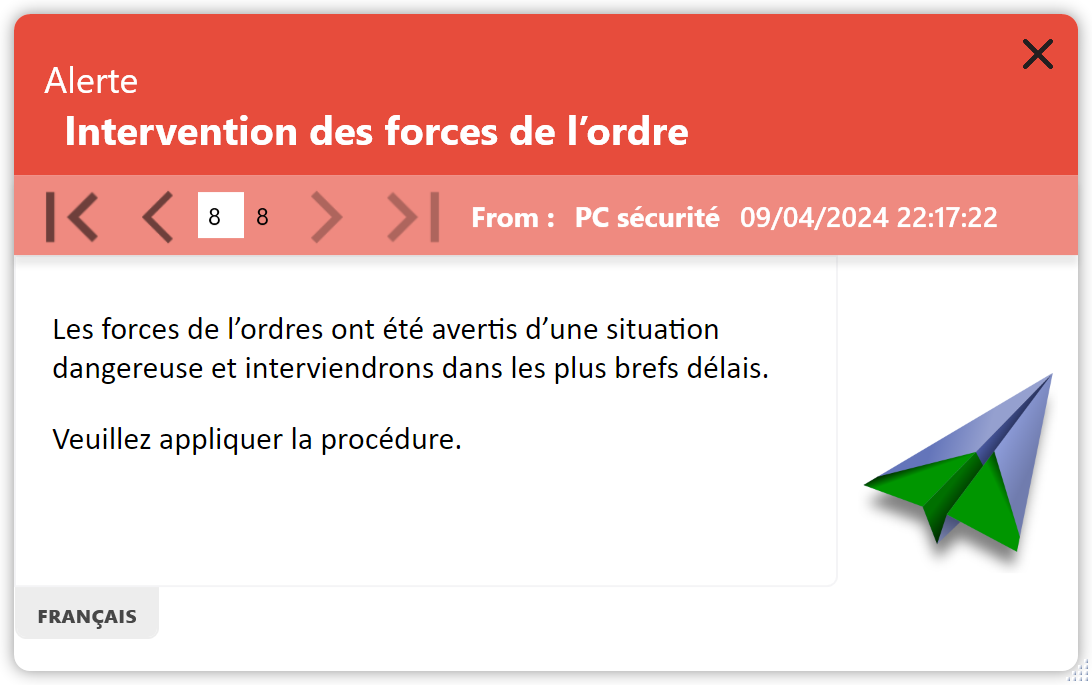
Send: on the day of the alert
With a template and a group ready, sending comes down to choosing the scenario and clicking. The window appears on top on the Windows PCs running the agent, in front of the application in use.
Avoid
Relying on a single channel. People away from a screen need a backup: phone, bell or area manager.
Check: after sending
Read receipts show who has seen the alert. The manager follows up with the others, then sends the all-clear with instructions for resuming work.
3
things to prepare: templates, groups, trigger
1
click to send a prepared scenario
2
messages at least: the alert and the all-clear
Frequently Asked Questions
What is the fastest way to alert employees?
The one that is prepared: a ready message, sent to a ready group, on a channel employees see without opening it, such as a window on their PC.
Does alert software replace the fire alarm?
No. It complements the alarm with a written instruction: where to go, which exit to avoid, when to come back.
Safran, Amundi, France’s Council of State and more than 300,000 protected users
Prepare your first alert scenario
During the free 30-day trial, create a template, a group and a shortcut, then test them with your team.
See also: Enterprise alert software · Silent alert · Reading Accused