

What WDR reported about the incident
On 13 November 2026, fifteen people were injured after excess chlorine entered the pool at the Ling Bao hotel in Phantasialand, Germany. According to WDR, citing the venue, alert emails were not received during the Microsoft service outage. The broadcaster also reported a dosing-system fault.
This is a reported availability problem, not an established cyberattack. The lesson for information systems is practical: a message sent is not necessarily a message received in time.
Redundancy: check what the two channels share
Adding a second application is not enough if both rely on the same unavailable service. Map the whole alert path: detection, delivery tool, network, power, recipient device and the person expected to act.
- Email unavailable: plan a channel that does not depend on that email service.
- Network or workstations unavailable: also plan telephone calls, local team contacts or another suitable method.
- Recipient absent: appoint a backup person and a deadline for escalation.
- People’s safety: retain dedicated alarms and response procedures suited to the risk.
Remediation: test the fallback before the next incident
Choose a representative instruction and a test group. In a controlled exercise, simulate the main channel being unavailable and check who receives the information, how quickly and with what confirmation. Also test an absent recipient or a powered-off workstation. Record failures and adjust the procedure.
A simple test
Email stops responding. Within ten minutes, a department manager should be able to explain how the instructions arrive, who takes over and how receipt is confirmed.
How dMessage fits into a continuity plan
dMessage delivers instructions in on-screen windows on Windows workstations across the organisation’s network, through a channel separate from email. Support can prepare messages, target the relevant teams and communicate the next steps and the time of the next update.
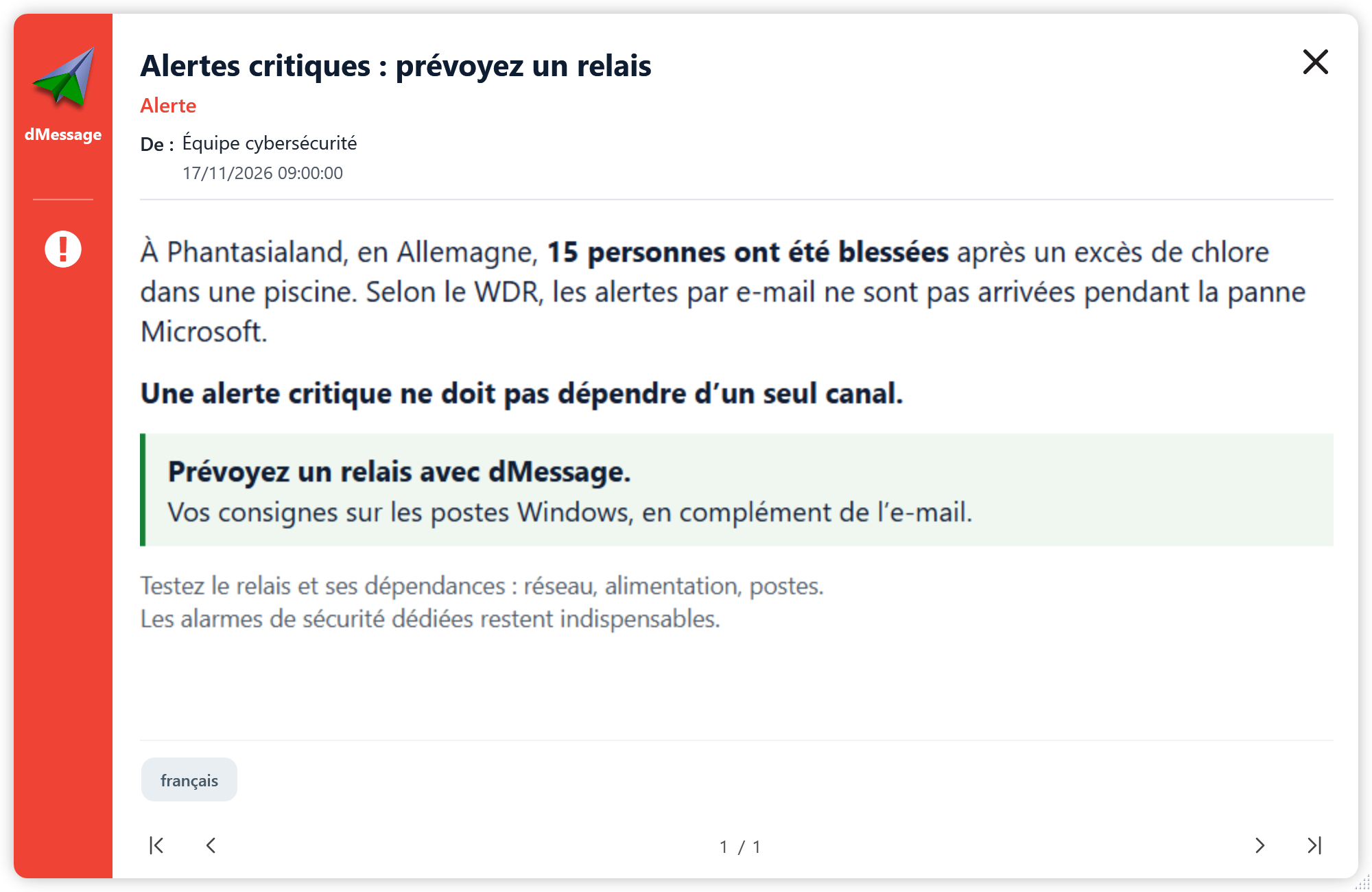
This fallback depends on dMessage’s required components, the network and receiving workstations remaining available. It supports team communication; it does not replace a dedicated safety alarm or an installation’s safety shutdown mechanism.
Sources and documentation
- WDR: report updated on 16 November 2026
- WDR Newsroom: statement dated 14 November 2026
- dMessage: official product overview
- dMessage: deployment requirements and operation
Cyber awareness, directly on screen
Prepare your fallback before the next outage
Try dMessage for 30 days on your network and check that a group of Windows workstations receives your instructions.