

Why an outage floods the help desk queue
When an application freezes, every user thinks they are the first to notice. They call, then open a ticket, then chase it. The help desk spends the first hour answering the same question instead of fixing the problem.
A notice shown early on the affected PCs breaks this cycle. It says the outage is known, what to do in the meantime and when the next update will come.
What does someone looking at a frozen basket need to know?
She hesitates before clicking again. Does IT already know about the outage? Could the order go through twice? In the dMessage console, the service desk selects the Active Directory group for Orders users in Lyon. A notice appears on their Windows PCs wherever the dMessage agent is installed and reachable, even with their email closed.
Order submission in Lyon · INC-427
Orders in Lyon have been stuck at checkout since 9:05 a.m. The service desk has opened incident INC-427. Keep your basket open and wait for the all-clear before submitting again. For an urgent order or a different problem, you can still reach us on extension 4100. Our next update is at 9:30 a.m.

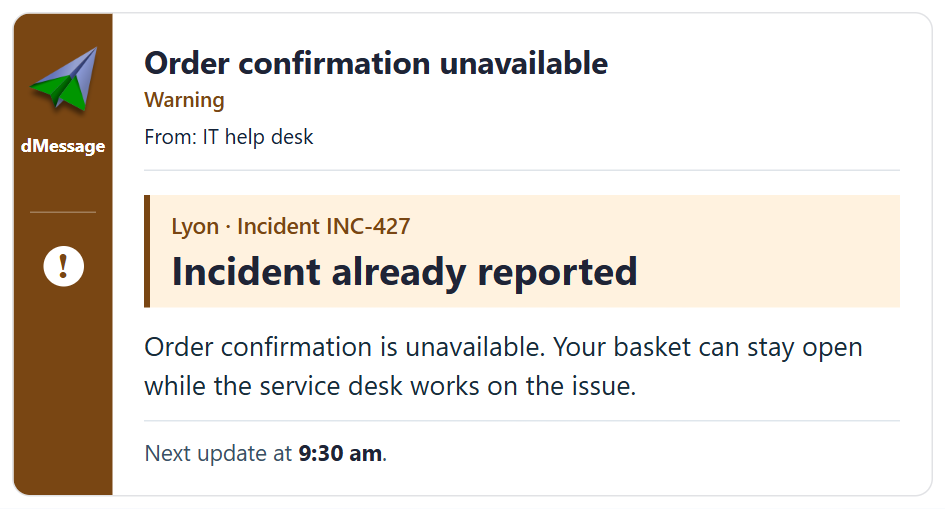
Order confirmation unavailable
Warning
From: IT help desk
Lyon · Incident INC-427
Incident already reported
Order confirmation is unavailable. Your basket can stay open while the service desk works on the issue.
Next update at 9:30 am.
At 9:30 a.m., the same group gets an update
If the outage is still going on, a short update keeps the promise the service desk made. The agent can use the same recipient list for this notice.
Orders are still stuck at checkout in Lyon. If yours needs to ship this morning, give the reference to your team lead. We’ll update you again at 10:00 a.m.
If a colleague in Lyon has just put a test order through successfully, the update changes.
You can submit orders again in Lyon. Before you reopen a basket, check your order history to see whether it went through. If you’re still stuck, tell the service desk when you tried and quote INC-427.
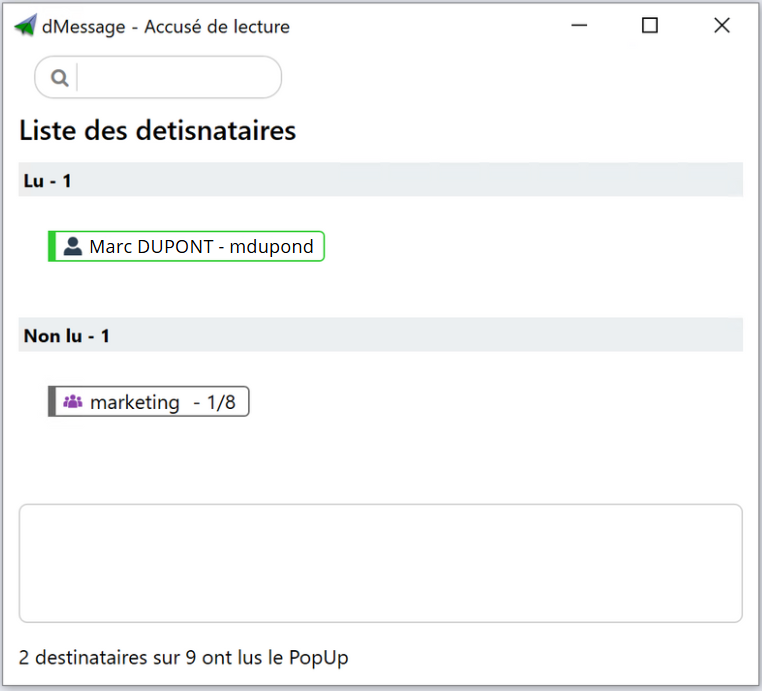
The acknowledgements view shows the service desk who confirmed reading the notice. The colleague handling INC-427 can then see how many new tickets still describe the same symptom after that first update. Reports about other problems are still useful. See the read acknowledgements window in dMessage.
When monitoring detects an outage, dMessage can also notify the team responding to it. See an example of an alert to the team handling the incident.
The three-message method
- The first notice. As soon as a second identical report comes in: the symptom, the incident number, what to do while waiting and the time of the next update.
- The progress update. At the promised time, even without a fix: what is moving, what is still blocked, any workaround.
- The closing message. What works again, what to check before carrying on and whom to tell if a problem persists.
Good habit
Measure tickets per incident, not just total volume. If duplicates fall after the first notice, the method is working.
Avoid
Announcing the outage to the whole company. Unaffected departments start reporting problems they do not have.
Frequently Asked Questions
When should you send the first outage notice?
As soon as two reports describe the same symptom. Waiting for a full diagnosis gives tickets time to pile up.
Should you close duplicate tickets?
Link them to the main incident rather than closing them without an answer. The user then knows their request is being handled.
How do you warn users if email is down too?
Use a channel that does not depend on it, such as a window shown on PCs over the internal network, and keep the phone for people away from their desk.
More than 300,000 users protected by dMessage
Your next outage notice, before the first ticket
Try it free for 30 days: prepare your three templates and send them to a pilot group.